Compare
How FamilyProtect compares
FamilyProtect is built for one job: tamper-resistant content filtering on Windows PCs without covert monitoring. Other tools optimise for phones, screen time, or message scanning. This page is honest about where each option fits.
Windows PCs only. For everything FamilyProtect includes, see the features page. For the full narrative, read parental controls vs. FamilyProtect.
| Feature | FamilyProtect | Google Family Link | Microsoft Family Safety | Bark | Qustodio | Free DNS |
|---|---|---|---|---|---|---|
| Platform focus | Windows PCs (more coming) | Android and Chromebook (no native Windows) | Windows and mobile (Edge filter) | Multi-platform | Multi-platform | Router / DNS |
| Tamper resistance | System-level, self-heals | Account-level | Account-level | App-level | App-level | Easily bypassed |
| Filters every browser | Yes, at the DNS layer | No native Windows filtering | Edge only | Website and app level | App and browser level | Home Wi-Fi only |
| Message / social monitoring | No (by design) | Limited | No | Yes | Yes | No |
| Screen-time limits | No | Yes | Yes | Yes | Yes | No |
| Bypass resistance | High: blocks known encrypted-DNS (DoH) endpoints and VPN/anonymiser domains | Not applicable on Windows | Low to medium (Edge-only) | Medium | Medium | Low |
| Parent reporting | Plain-language, three tiers, per device | Basic activity | Basic activity | Alert feed | Detailed | None / raw logs |
| Price | $5.99 a month, all PCs | Free | Free | $5 to $14 a month | About $4.58 to $8.04 a month | Free |
See what you actually get
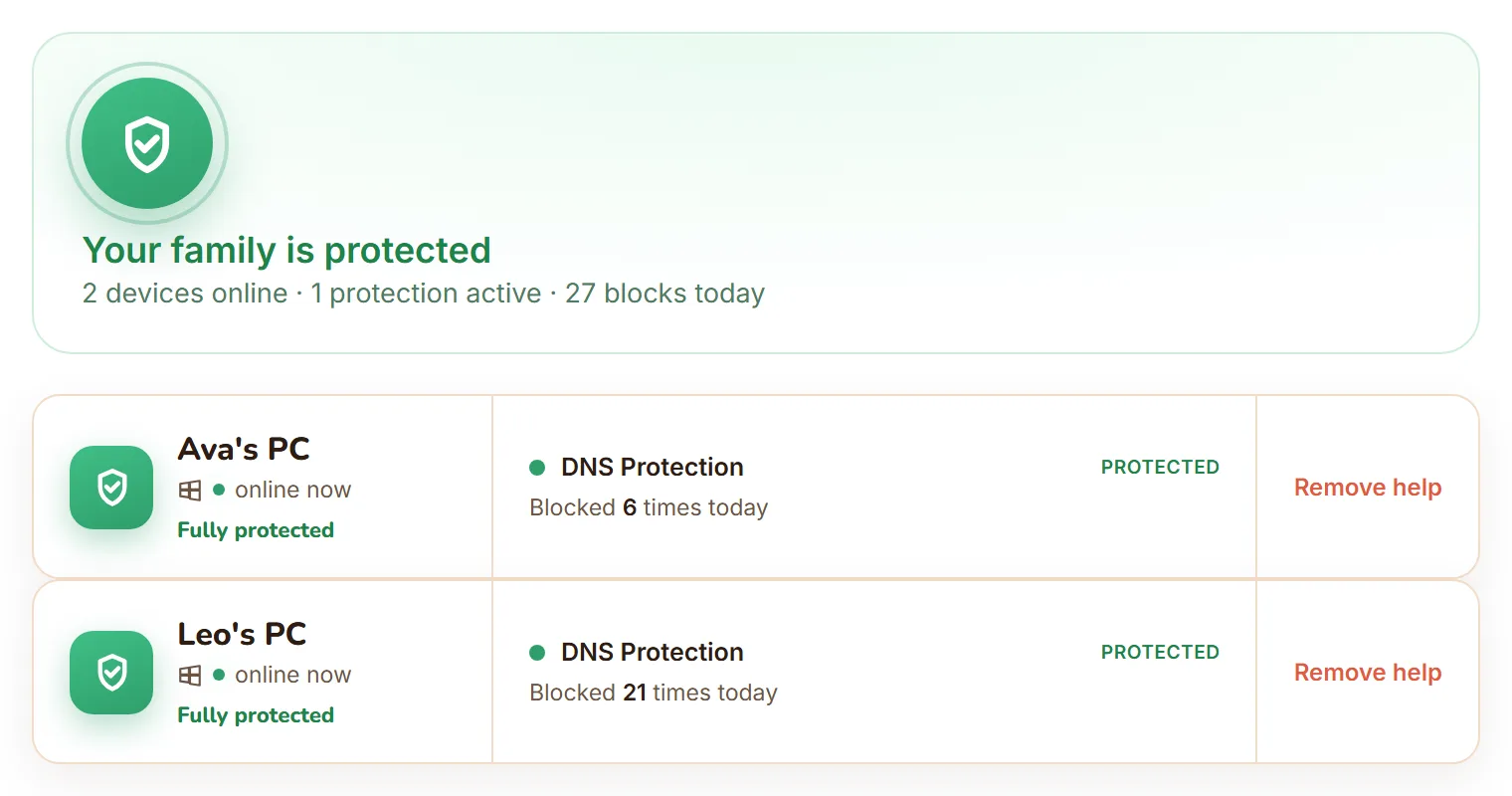
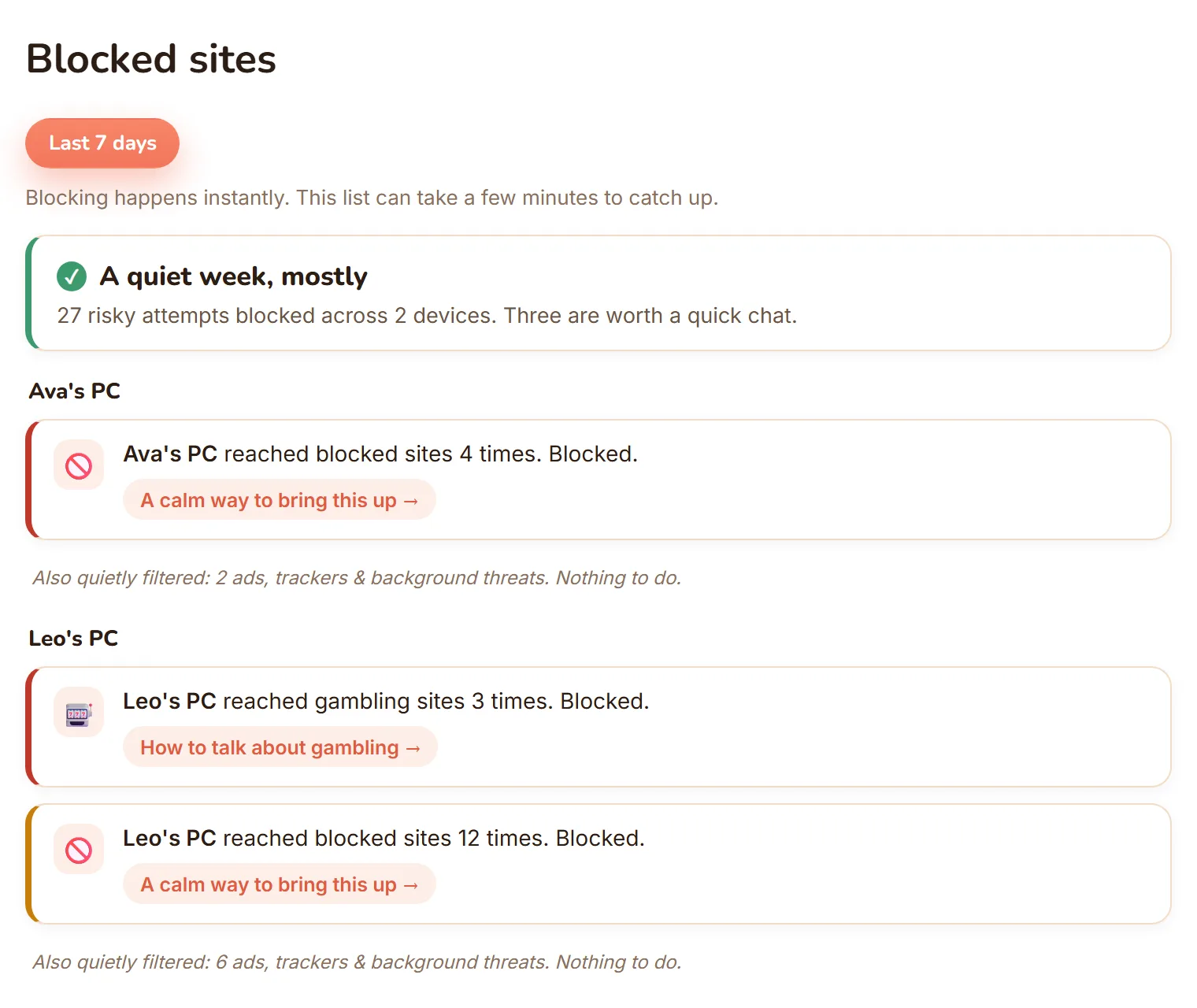
No demo video, just the real dashboard: every Windows PC in one view, and blocked sites shown as calm, per-child moments instead of a raw log.
Compare head to head
Free, mobile-first
FamilyProtect vs Google Family Link
Family Link barely runs on Windows. See why a PC needs more.
Free, Edge-only filtering
FamilyProtect vs Microsoft Family Safety
Edge-only filtering is filtering a kid walks around. We do not.
Paid monitoring suite
FamilyProtect vs Qustodio
Protection, not surveillance. We do not read messages or track location.
Message surveillance and alerts
FamilyProtect vs Bark
Bark reads their messages. We filter the network and report blocks.
Accountability screenshots
FamilyProtect vs Covenant Eyes
Covenant Eyes screenshots for a partner. We block at the network and report.
When FamilyProtect is the right fit
You have kids on Windows PCs, you have tried browser filters or built-in controls, and a curious kid bypassed them with a second browser or a public DNS setting. You want filtering that sits under every browser and app, plus a calm view of what got blocked, not a feed that reads their messages. And you are willing to pay one flat price for every family PC.
When to look elsewhere
You need iPhone or Android monitoring, screen-time schedules, or social-media alerts, so Bark or Qustodio are built for that. You only need basic limits on a child's Google or Microsoft account, so Family Link or Family Safety may be enough. You want a free router DNS filter and accept that motivated kids can bypass it, so OpenDNS or Cloudflare for Families can help on home Wi-Fi.
Questions
Which parental control is best for a Windows PC?
For a Windows PC specifically, FamilyProtect filters every browser and app at the DNS layer and resists tampering. Google Family Link has no native Windows app, and Microsoft Family Safety only filters inside Edge. Bark and Qustodio work on Windows but focus on monitoring. Free DNS filtering only covers your home Wi-Fi.
What is the difference between filtering and monitoring?
Filtering blocks harmful content before it loads. Monitoring watches what your child does and alerts you afterwards, sometimes by reading messages. FamilyProtect filters and reports blocks without reading messages. Bark and Qustodio lean on monitoring.
Is free DNS filtering enough?
Free DNS services like Cloudflare for Families or OpenDNS filter at the router, so they only work on your home Wi-Fi, keep no per-child reports, and are easily bypassed by changing the device's DNS settings. FamilyProtect travels with the device off home Wi-Fi, blocks known encrypted-DNS (DoH) endpoints and VPN or anonymiser domains, and reports per child.
Can I use FamilyProtect alongside another tool?
Yes. Many families run FamilyProtect on their Windows PCs and a mobile tool like Family Link on a child's phone. FamilyProtect focuses on tamper-resistant Windows filtering and honest reporting.