Compare
A Microsoft Family Safety alternative that covers every browser
Microsoft Family Safety is free, but its web filtering only works inside Microsoft Edge, so a child who opens a different browser walks straight around it. FamilyProtect filters beneath every browser at the DNS layer, so switching browsers changes nothing.
Choose FamilyProtect if
You want filtering that holds up when a curious kid tries another browser.
Choose Microsoft Family Safety if
Your family uses only Microsoft Edge and you want free basic limits.
See what you actually get
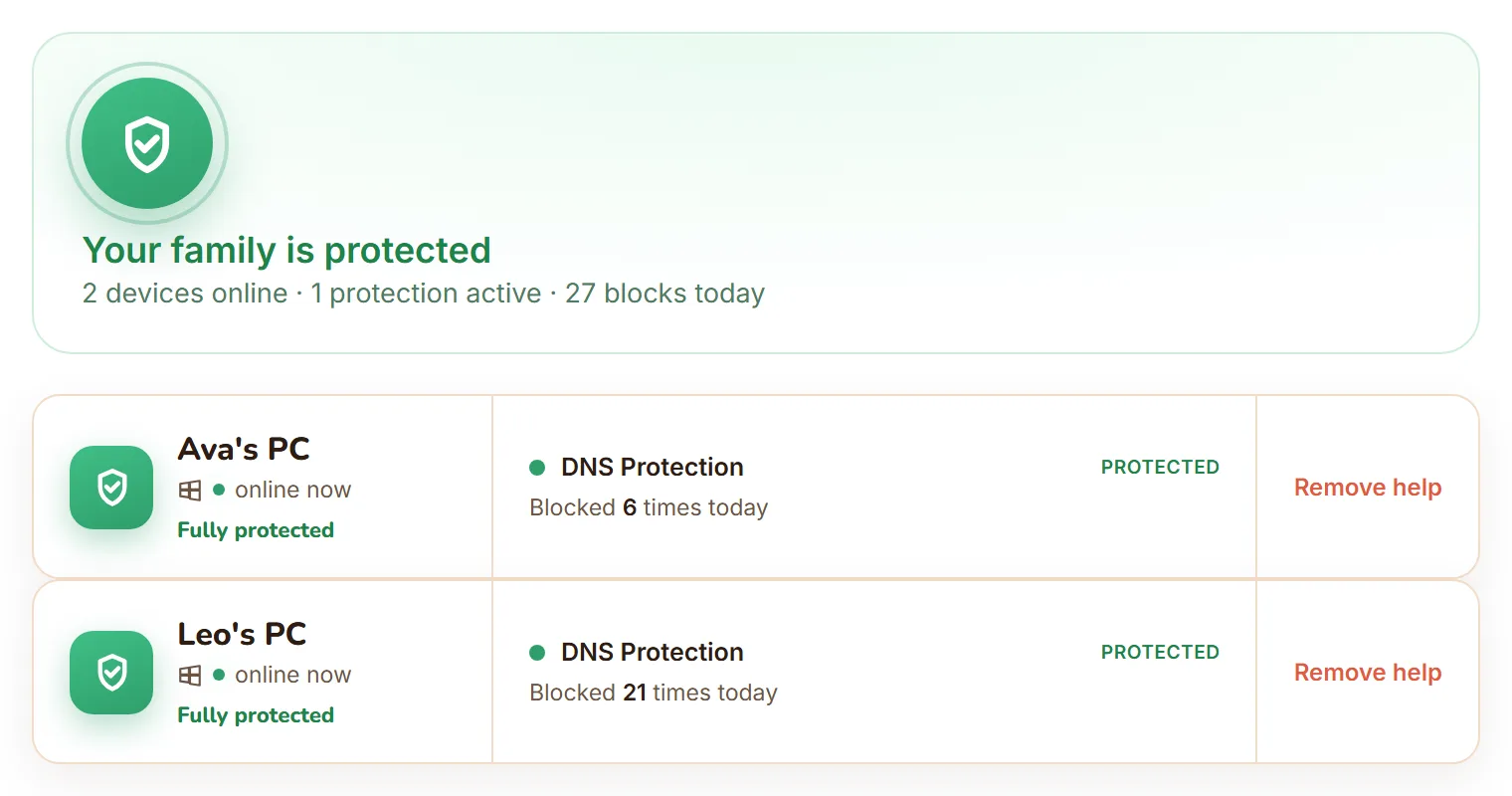
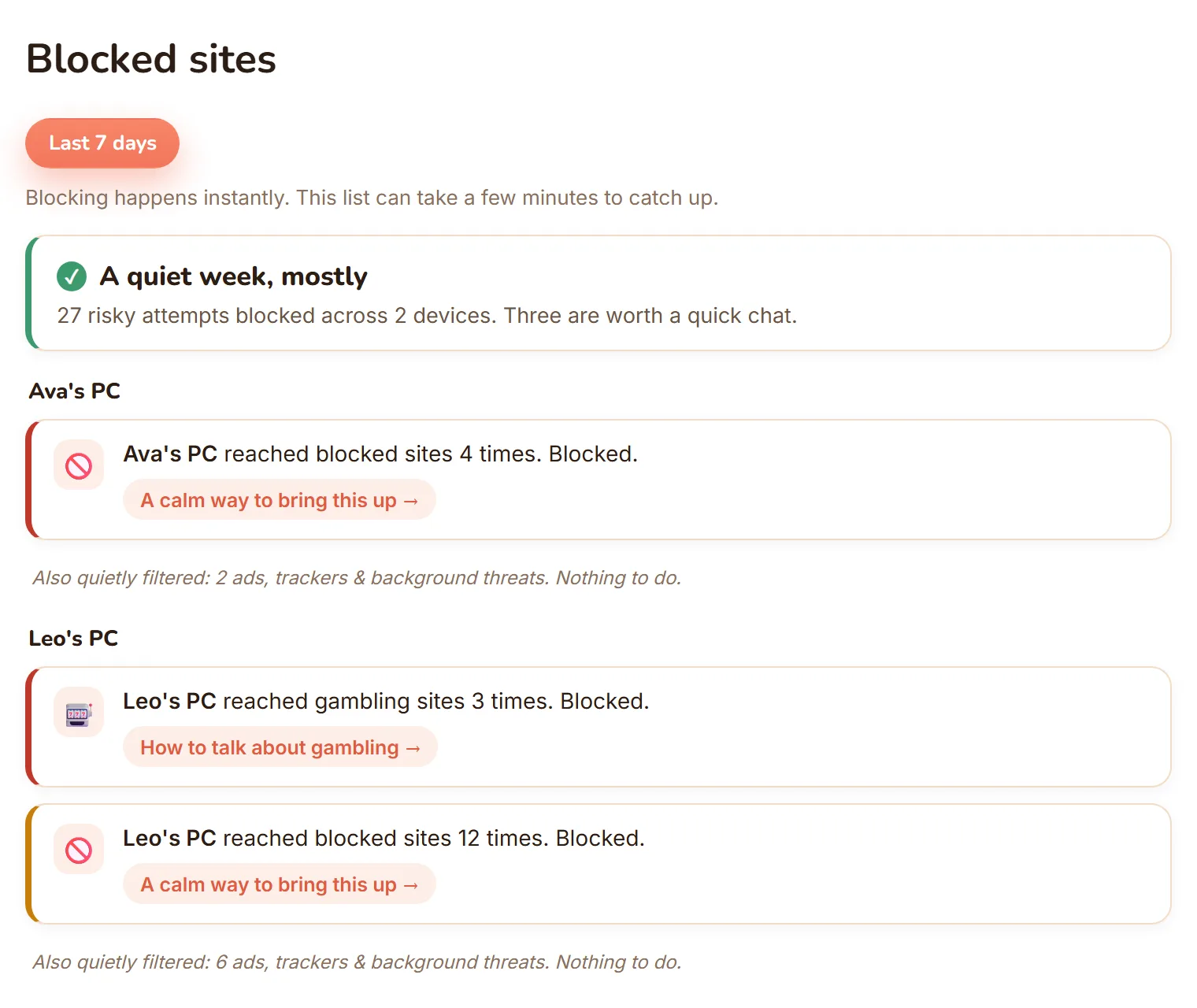
The real dashboard, not a mockup: every Windows PC in one view, and blocked sites shown as calm, per-child moments.
| Feature | FamilyProtect | Microsoft Family Safety |
|---|---|---|
| Where filtering works | Every browser and app on the PC | Microsoft Edge only |
| Other browsers | Filtered too, at the DNS layer | Blocked by default, and has been bypassable |
| Known encrypted-DNS (DoH) endpoints | Blocked and logged as a filter-bypass attempt | Not addressed |
| Tamper resistance | Self-heals within minutes; four continuous checks | Account-level settings |
| Parent reports | Blocked-sites feed, three tiers, per child | Screen-time and activity summary |
| Screen-time limits | No, we focus on content protection | Yes |
| Price | $5.99 a month, all family PCs | Free with a Microsoft account |
Does Microsoft Family Safety filter every browser?
No. Family Safety's web and search filtering works only in Microsoft Edge. To make that stick, turning on web filtering blocks other browsers by default. That is a blunt approach: it breaks apps that rely on a different browser engine, and it depends on Microsoft's block list staying ahead of every browser release. FamilyProtect takes the opposite approach. It filters at the DNS layer, below the browser, so Chrome, Firefox, Edge, or anything else all get the same protection, and we do not need to block browsers to make it work.
Can a child bypass Microsoft Family Safety?
It has happened. From mid-2025, parents reported that newly released or unsupported browsers could slip past Family Safety's block until Microsoft's list caught up, and Microsoft rolled out a service-side fix from early February 2026. The deeper issue is structural: filtering that lives in one browser is only as strong as the list of browsers it blocks. FamilyProtect does not rely on that list. Content is filtered for the whole PC, and the common escape routes, known encrypted-DNS (DoH) endpoints and VPN or anonymiser domains, are blocked and logged.
What do parents see?
Family Safety gives you screen-time and activity summaries tied to the Microsoft account. FamilyProtect gives you a plain-language feed of what was actually blocked on each PC, sorted into Serious, Keep an eye on, and Filtered quietly, so you can start a conversation instead of reading raw logs. We do not read messages or track location.
Microsoft Family Safety vs FamilyProtect: cost
Family Safety is free with a Microsoft account and includes screen-time limits, which FamilyProtect does not. FamilyProtect is $5.99 a month for every Windows PC in your home and focuses on content filtering that a second browser cannot defeat. If free single-browser filtering is enough for your family, Family Safety is a fine start. If a curious kid has already found the gaps, FamilyProtect closes them.
When Microsoft Family Safety is the better choice
Family Safety is the better choice when your family already lives in the Microsoft world, everyone uses Edge, and you mainly want free screen-time limits and app-age settings. It costs nothing and is built into Windows.
Questions
Does Microsoft Family Safety block all browsers?
Its web filtering only works in Microsoft Edge. Turning on web filtering blocks other browsers by default, an approach that has been bypassable and that breaks apps relying on other browsers. FamilyProtect filters every browser at the DNS layer instead.
Was Microsoft Family Safety bypassable?
Yes. From mid-2025 parents reported unsupported browsers slipping past the filter until Microsoft's block list updated, and Microsoft shipped a service-side fix from early February 2026. FamilyProtect does not depend on a browser block list.
Does FamilyProtect have screen-time limits like Family Safety?
No. FamilyProtect focuses on content filtering and honest parent reporting. If you want screen-time schedules, Family Safety or another tool can run alongside it.
Is there a Microsoft Family Safety alternative that covers Chrome and Firefox?
Yes. Family Safety's web filtering only works inside Edge, so Chrome and Firefox are outside it unless you block them outright. FamilyProtect filters below the browser at the DNS layer, so Chrome, Firefox, Edge, and anything else your child opens all get the same protection.
More comparisons: vs Google Family Link, vs Qustodio, vs Bark, vs Covenant Eyes . See the full comparison table, everything in FamilyProtect's features, our pricing, and our privacy approach.