Features
Content filtering that covers every browser
FamilyProtect is content filtering software for parents who want Windows PCs to stay protected even when a curious kid tries another browser, app, or setting.
Web content filtering
Block adult, harmful, and unwanted categories at the network layer on protected Windows PCs.
Because filtering sits beneath the browser, opening a second browser or a portable app does not get around it. Known encrypted-DNS (DoH) endpoints, and the VPN and anonymiser domains used to tunnel around a filter, are blocked too.
See what got blocked, calmly
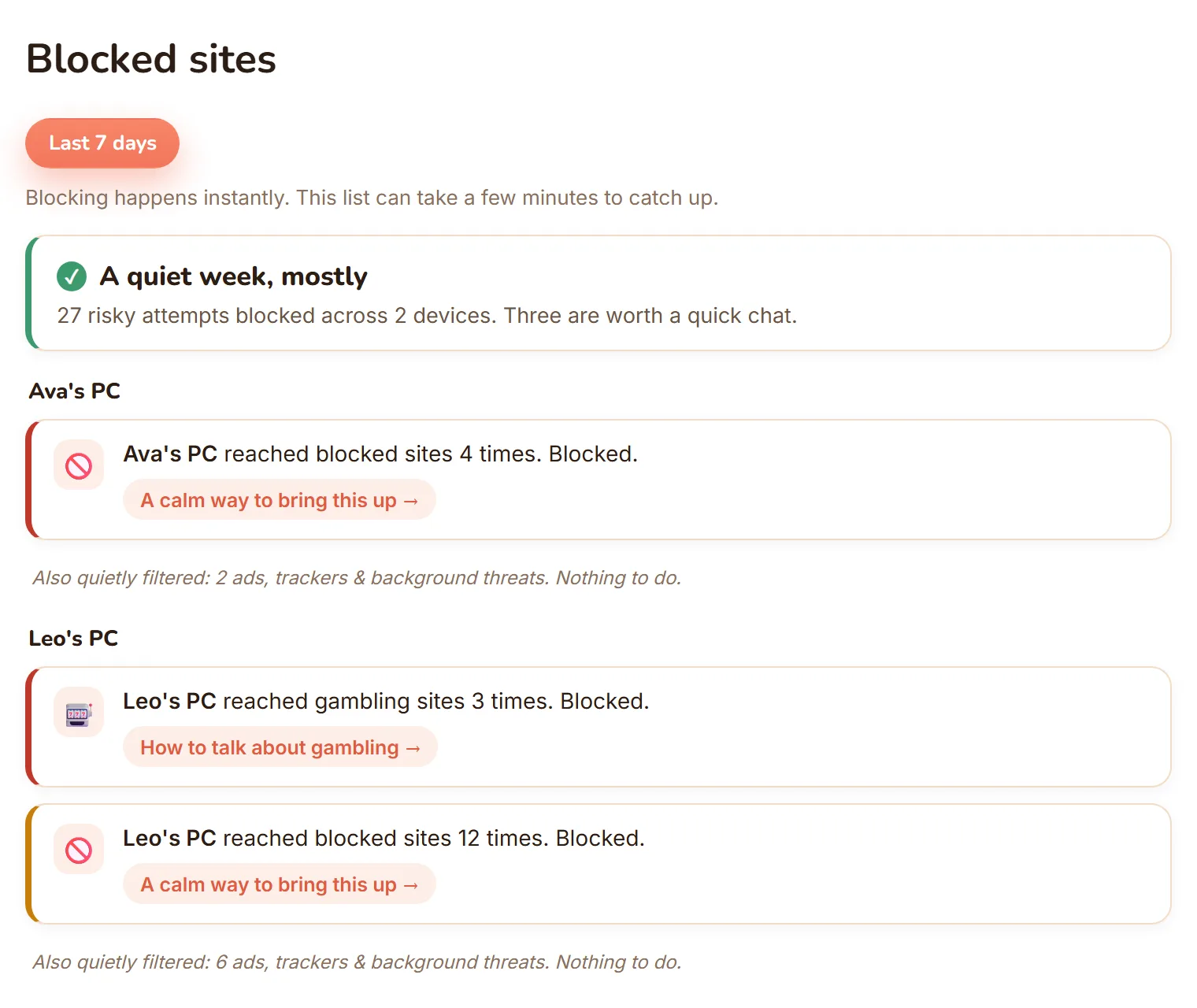
Your dashboard shows what was blocked on each PC, sorted into Serious, Keep an eye on, and Filtered quietly.
Most blocks are background ads and trackers your child never saw. The point is not to catch anyone out, it is to give you calm, specific openings for the conversations that keep kids safe.
Tamper-resistant and self-healing
Protection runs at the system level instead of relying only on the child account, so kids can't just switch it off.
Every PC is checked continuously: the agent is installed, the service is running, the locked config is in place, and the block-page certificate is trusted. If something drifts, it repairs itself.
Protection that travels
Filtering follows the laptop off your home Wi-Fi, onto school networks and mobile data.
The protection lives on the PC rather than your router, so a child who takes the laptop to a friend's house or tethers to a phone stays covered by the same rules.
Every family Windows PC
Use one subscription for the Windows PCs your family uses at home.
Add another family PC without moving into a higher device tier.
Yours to control, not covert
You decide what is switched on, from one simple dashboard.
FamilyProtect does not read messages, keystrokes, photos, or microphone. It is safety enforcement you can explain to your child, not a hidden monitor.
See it for yourself
What each protection actually looks like
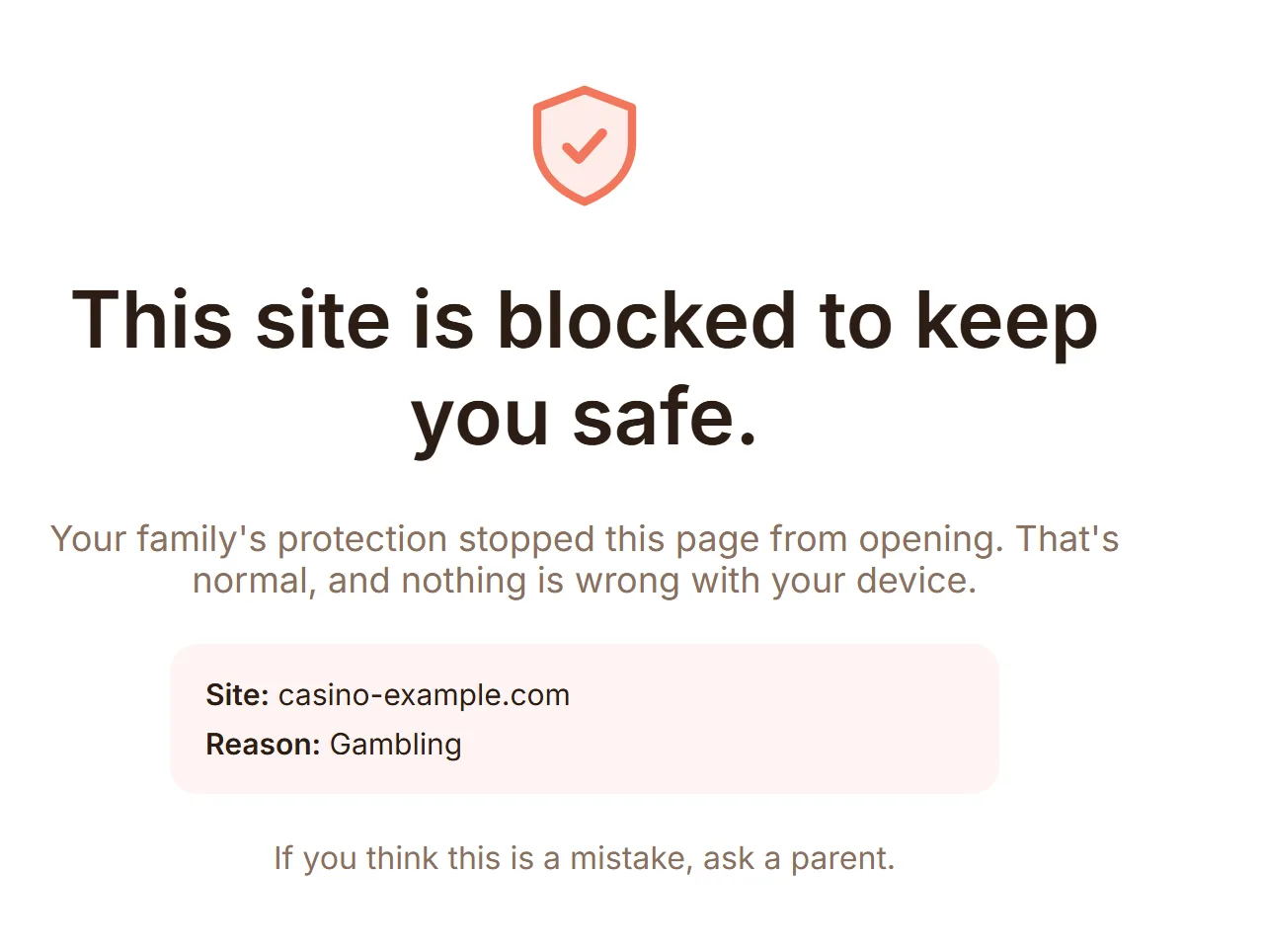
Blocked before it loads
When a Windows PC hits a blocked category, the browser lands on a calm block page instead of the harmful site, no matter which browser or app it came from.
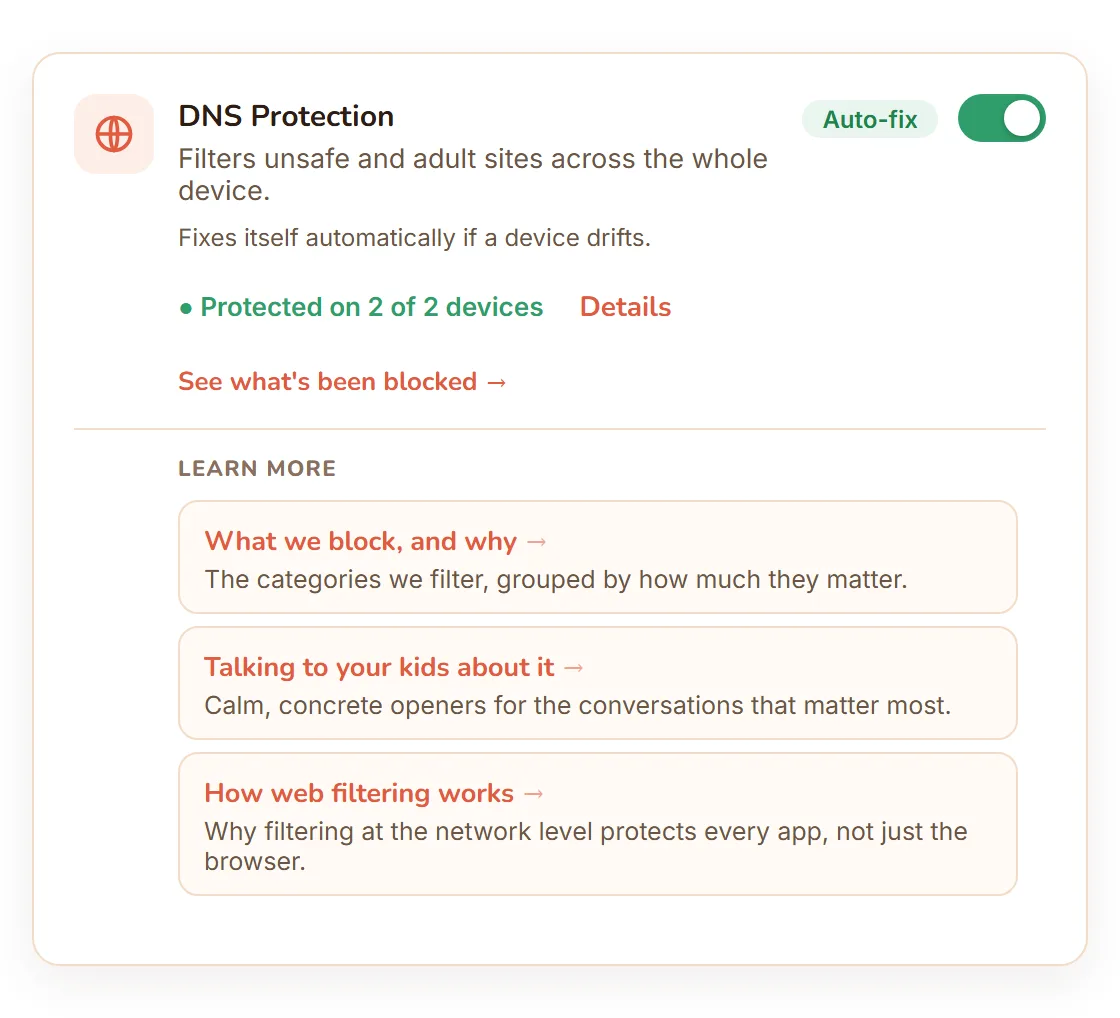
Fixes itself if something drifts
Every PC is checked continuously. If the agent stalls or the config drifts, DNS Protection repairs itself automatically, no help-desk call needed.
What got blocked, in plain language
Every block lands on your dashboard as a calm, per-child moment, sorted into Serious, Keep an eye on, and Filtered quietly.
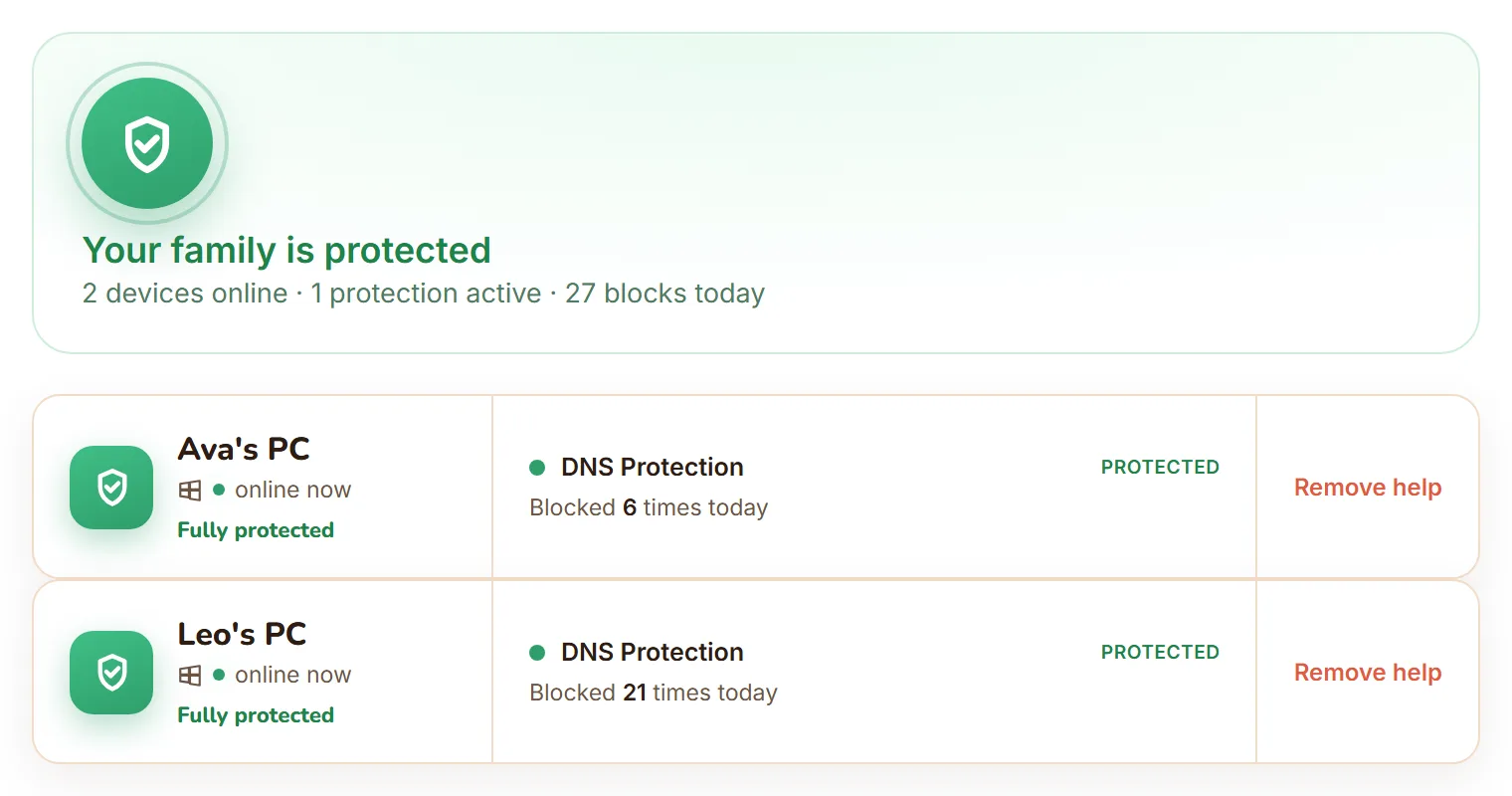
Every family Windows PC, one view
Add another family PC and it shows up on the same dashboard, already covered by your plan.
Built deliberately
What FamilyProtect does not try to be
FamilyProtect is not a hidden surveillance tool. It does not try to read every private message or turn parenting into an alert feed. The product is designed around clear safety enforcement: block risky destinations under every browser and app, show parents what got blocked in plain language, and let parents control the protections openly.