About
Built to give parents peace of mind.
The internet moved into our kids' pockets faster than the tools to keep them safe. FamilyProtect exists to close that gap: protection that actually works, and that we're honest about.
Who built this
FamilyProtect is built by Jamie Ede, working on it directly. It grew out of years spent running device management for real households: the same patterns businesses rely on (DNS filtering, tamper-resistant agents, continuous verification), made simple enough for parents who don't want to become IT administrators.
One person builds it, answers the support mail, and writes the technical guides on the blog. That is worth saying plainly rather than writing "our team" and hoping you assume something larger. It also means the product stays honest about what it does and does not collect. The goal isn't surveillance. It's enforceable safety rules you choose, with a clear line between protection and spying.
"I kept fixing the same problem in different houses: controls that only watched one browser while the rest of the device stayed wide open. FamilyProtect is what I wished existed for my own family."
Jamie Ede, founder
Which FamilyProtect this is
FamilyProtect (getfamilyprotect.com) is parental-control software for Windows PCs. It is not affiliated with Family Protect Insurance, or with the separately owned domain familyprotect.com. If you were looking for insurance, you want a different company.
The gap we kept seeing
Parents would install a filter in Chrome and feel done. A week later the child was on Edge, or a portable browser from a USB stick, or mobile data with no filter at all. The parent hadn't failed. The tool was never designed to protect the whole device.
Router-level DNS helped on home Wi-Fi, but it fell apart the moment a laptop left the house, a VPN switched on, or a browser started using encrypted DNS the parent never configured. Free options are a fine starting point. They aren't tamper-resistant on a capable kid's PC.
We wrote more about that pattern in why we built FamilyProtect and the parent's guide to how DNS filtering protects every device.
What we believe
Safety shouldn't require you to become an IT administrator. It also shouldn't mean secretly spying on your children. We build protections that are strong, tamper-resistant, and transparent: you choose what's on, and we tell you exactly what we collect and why. Read the full detail in our Privacy Policy.
Parents deserve tools that work against curious, capable kids, not just casual clicks. That means device-level enforcement, not browser add-ons a child can bypass with a second browser or a VPN.
What we deliberately don't build
FamilyProtect is not a surveillance product. We don't read messages, log keystrokes, access cameras, or scrape social feeds. We don't sell screen-time nagging or location tracking. If a feature would require hidden monitoring, we leave it out.
We're also honest about platform coverage. FamilyProtect runs on Windows PCs only. We would rather be genuinely tamper-resistant on one platform than partly effective on several. Mobile parental controls are a different problem; we link to what we do and don't cover on our comparison page.
How it's different
Most "parental controls" guard one browser or one account. FamilyProtect filters at the network and system level on each Windows PC: every app, every browser, background traffic included. Protections run with system privileges while your child uses a standard (non-admin) account, so they can't disable filtering or uninstall the agent without admin rights.
See how we compare to browser controls, Bark, Qustodio, and free DNS options on our comparison page, or read the longer write-up: parental controls vs. FamilyProtect.
Windows first, more platforms coming
Windows is still where most family desktops and homework laptops live, and where bypass tricks show up first. We ship one platform at a time so each release is genuinely tamper-resistant, not a checkbox on a feature list. Getting started takes about ten minutes for your first PC.
Transparency by design
We collect only what's needed to enforce the protections you enable: device inventory, policy status, and web/DNS activity for filtering. Not message contents, keystrokes, photos, or microphone data. If a protection is on, you can see that it's on. If it's off, it's off. No hidden monitoring.
Every account change and every protection change lands in your activity log, so you're never guessing at what changed.
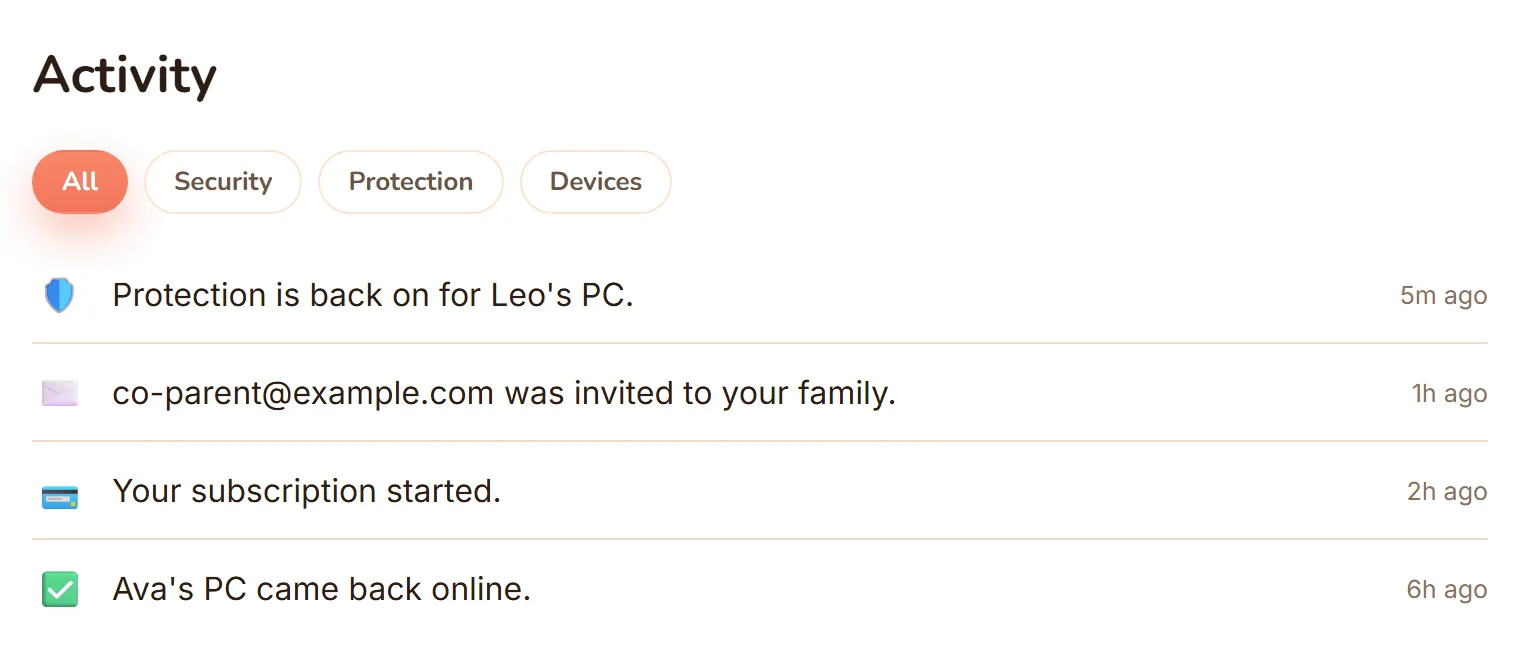
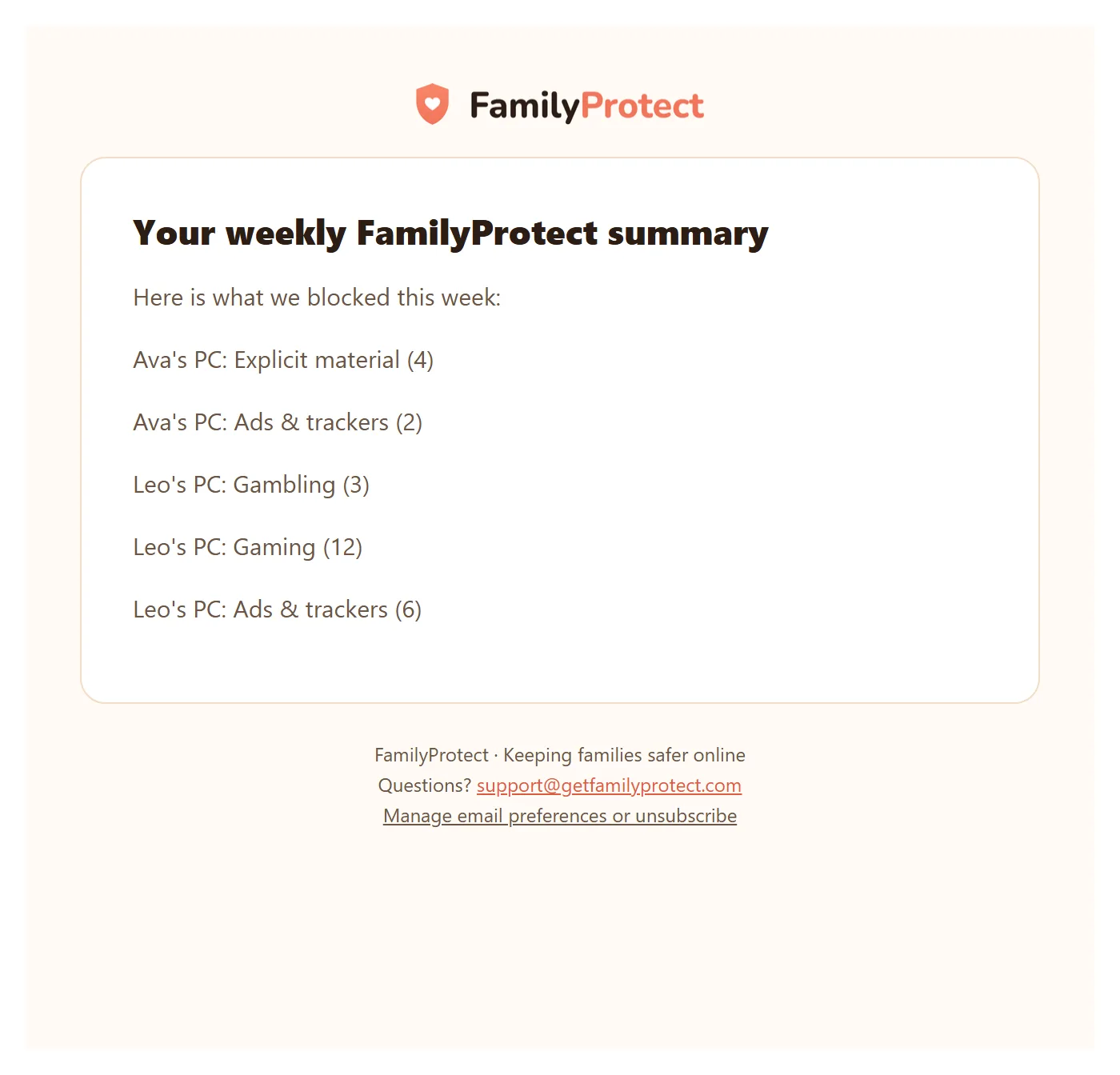
Once a week, a plain-language recap of the sites we blocked lands in your inbox, so you can see what your filtering caught without opening the dashboard.
Early access, built with feedback
FamilyProtect is live and improving with families who use it today. Product decisions come from real setup friction, not a slide deck. If you're using FamilyProtect and something confused you or didn't work as expected, tell us. A real person reads every message.
Questions before you sign up? Send us a message. We reply by email within two business days.