Windows parental controls that keep kids safer online.
One subscription runs content filtering on every family PC, shows you what got blocked in plain language, and keeps itself running even when a curious kid pokes at it. Set it up in minutes; we handle the rest.
For Windows PCs
See how our Windows parental controls filter every browser on the PC.
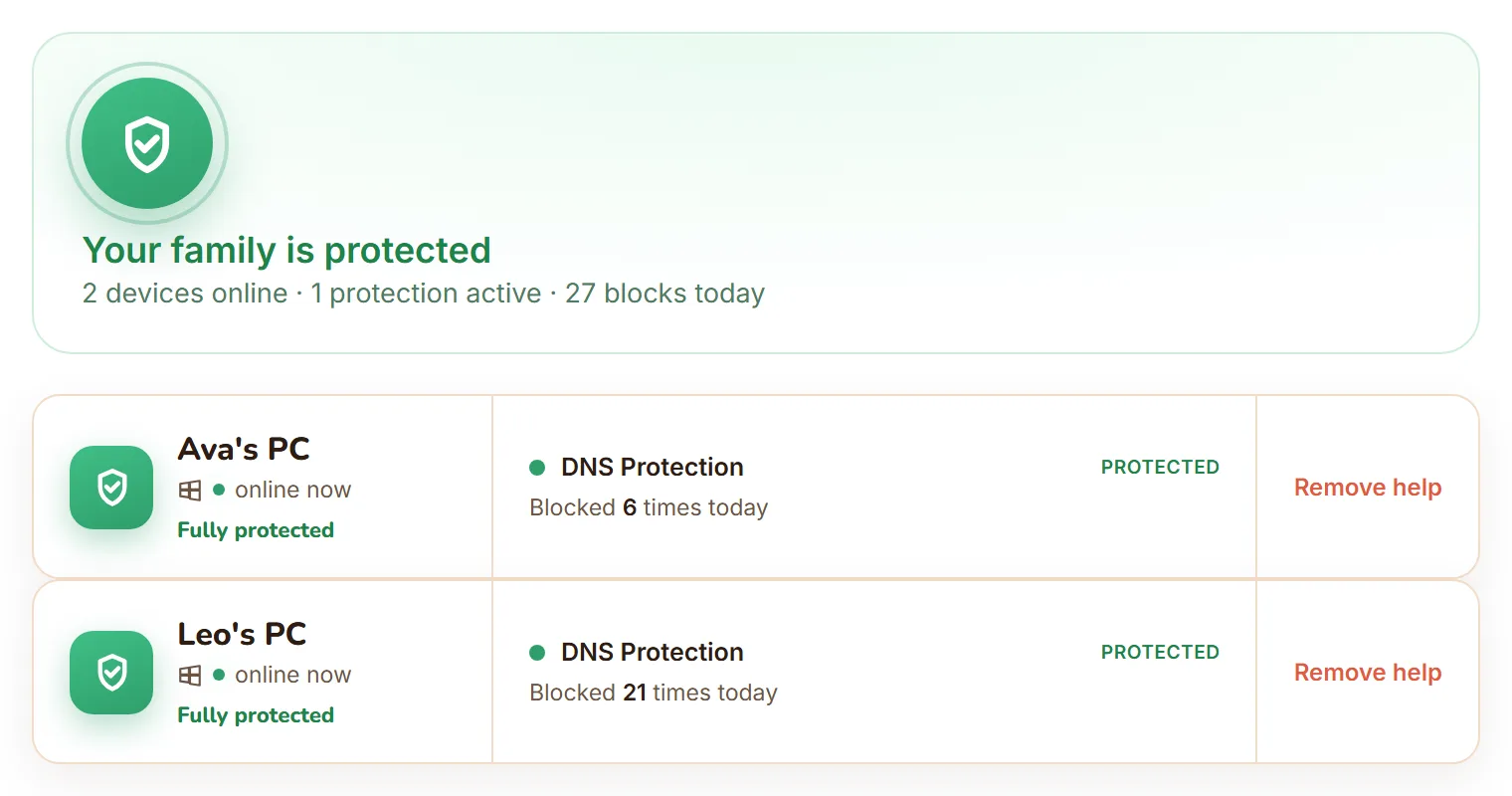
What you get
Real protection, not just screen-time nagging
Web content filtering
Harmful and adult content is blocked at the network level, under every browser and app on the PC. Not just in one browser your child can swap out.
See what got blocked, calmly
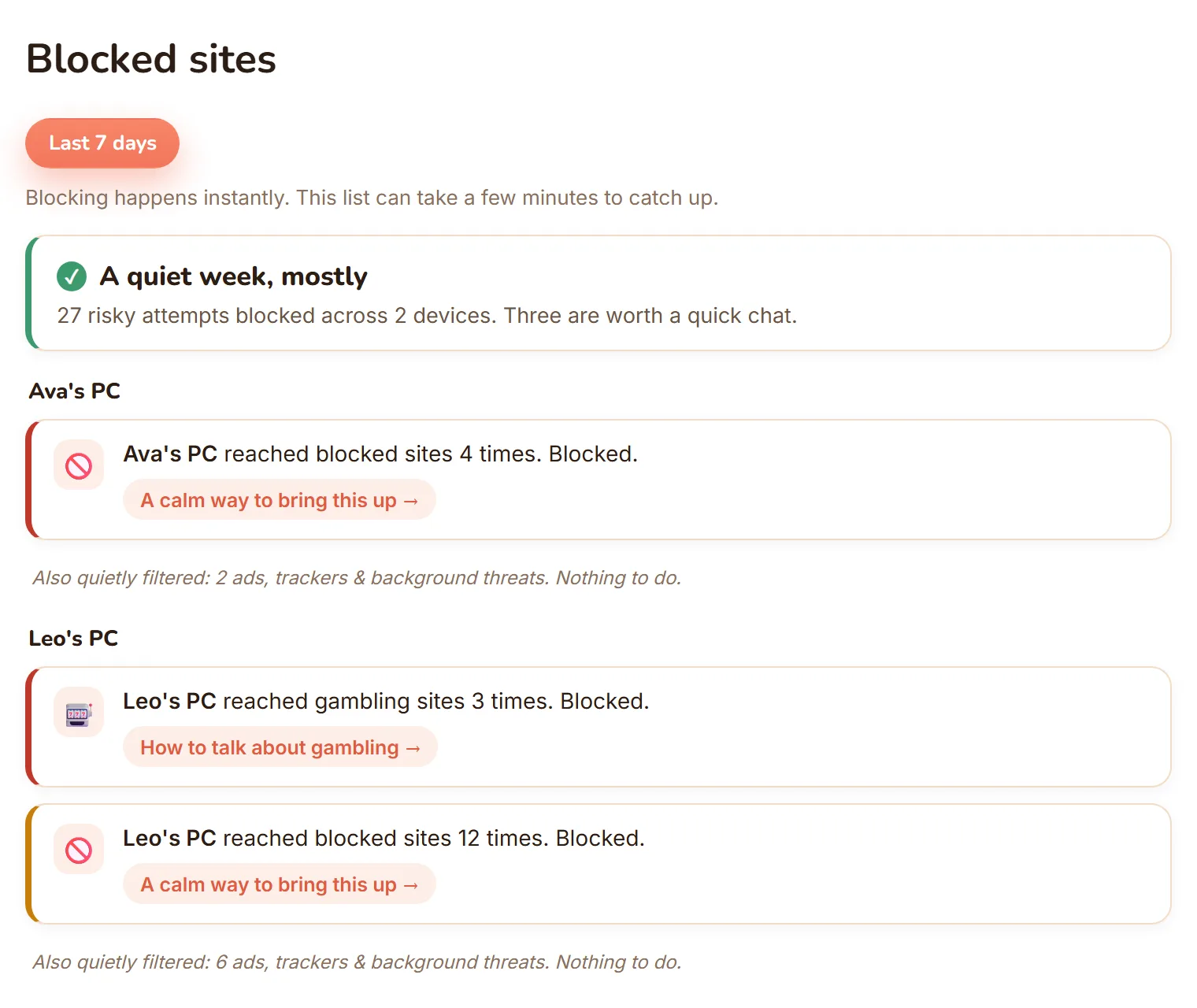
Your dashboard shows what was blocked on each PC, sorted into Serious, Keep an eye on, and Filtered quietly, so you notice what matters and ignore the noise.
Tamper-resistant & self-healing
Protection runs as the system, not the child account, so kids can't just switch it off. If something drifts, it repairs itself.
Protection that travels
Filtering follows the laptop off your home Wi-Fi, onto school networks and mobile data, so kids stay covered wherever they go.
Every family PC, one flat price
One plan covers all your family's Windows PCs. No per-device fees.
Yours to control, not covert
You decide what is switched on. FamilyProtect does not read messages, keystrokes, photos, or microphone.
See what matters, skip the noise
You'll always know what was blocked
Every block lands on your dashboard, sorted into three plain levels. Serious is worth a calm conversation. Keep an eye on is worth noticing. Filtered quietly is the everyday background of ads and trackers your child never saw. A low Serious count is a good sign, not an empty product.
New to DNS filtering? Read the parent's guide →
How it works
Protected in three steps
Create your family account
Sign up in a couple of minutes and start your 14 days free. Cancel anytime, no contract.
Install on each device
Download the installer and run it on every device your kids use.
Choose your protections
Turn protections on or off from one simple dashboard.
One simple price
$5.99/month
Start with 14 days free. Then every device and every protection, cancel anytime.
Questions
Frequently asked
Is this spyware?
No. FamilyProtect enforces safety protections you choose: web content filtering, with plain-language reports of what got blocked. It is not a hidden surveillance tool. We do not read message contents, keystrokes, photos, or microphone data. You decide what is switched on, and our Privacy Policy lists exactly what we collect and why.
Can my child just turn it off?
No. Protections run with system privileges on each enrolled Windows PC. Your child should use a standard (non-administrator) Windows account, which means they cannot disable filtering, change DNS settings, or uninstall the agent. And because filtering works at the network level, reaching for another browser does not get around it. If something breaks, FamilyProtect automatically repairs the configuration within minutes.
What devices does it work on?
Windows PCs only. One subscription covers all of your family's Windows PCs, with no per-device fees. FamilyProtect does not support macOS, Linux, iPhone, or Android.
Does FamilyProtect work on iPhone or Android?
Not yet. FamilyProtect is built for Windows PCs today. Mobile parental controls from Google and Apple work differently. They govern accounts and apps on the phone, not the whole home network. If you need phone coverage today, built-in Screen Time or Family Link may help alongside FamilyProtect on your family's PCs.
How is this different from Bark or Qustodio?
Bark and Qustodio focus on monitoring and screen time across many platforms, including reading messages and social alerts on phones. FamilyProtect takes a different approach: tamper-resistant device and network enforcement on Windows PCs without covert monitoring. We filter web content for the entire PC, under every browser and app, and show you what got blocked in plain language. See our comparison page for a full feature matrix.
Is there a free plan?
No. FamilyProtect is one flat paid plan that covers every Windows PC in your family. Free DNS services like OpenDNS can filter at the router, but they are easy for a child to bypass with mobile data, a VPN, or a second browser. FamilyProtect is designed for families who want enforcement that holds up, not just a DNS IP address on the fridge.
What data do you collect?
Only what is needed to enforce the protections you enable: device inventory, filtering and policy status, and web/DNS activity on protected devices so we can allow or block requests. We do not collect message contents, keystrokes, photos, or social-media content. Full detail, including retention and your rights, is in our Privacy Policy.
How do I cancel?
Anytime from your account dashboard. FamilyProtect is a rolling monthly subscription with no contract. When you cancel, your family stays protected until the end of the period you have already paid for, and you are not charged again. We do not give partial refunds for the current period. Deleting your account is a separate step that erases your data on your renewal date, and you can call it off any time before then. Both are documented in our billing help article.