Compare
A Google Family Link alternative that covers the Windows PC
Google Family Link is free and works well on Android, but it has no native Windows app, so it does almost nothing for a child on a Windows PC. FamilyProtect is built for Windows.
Choose FamilyProtect if
Your child's main device is a Windows PC.
Choose Google Family Link if
Your child's main device is an Android phone or a Chromebook.
See what you actually get
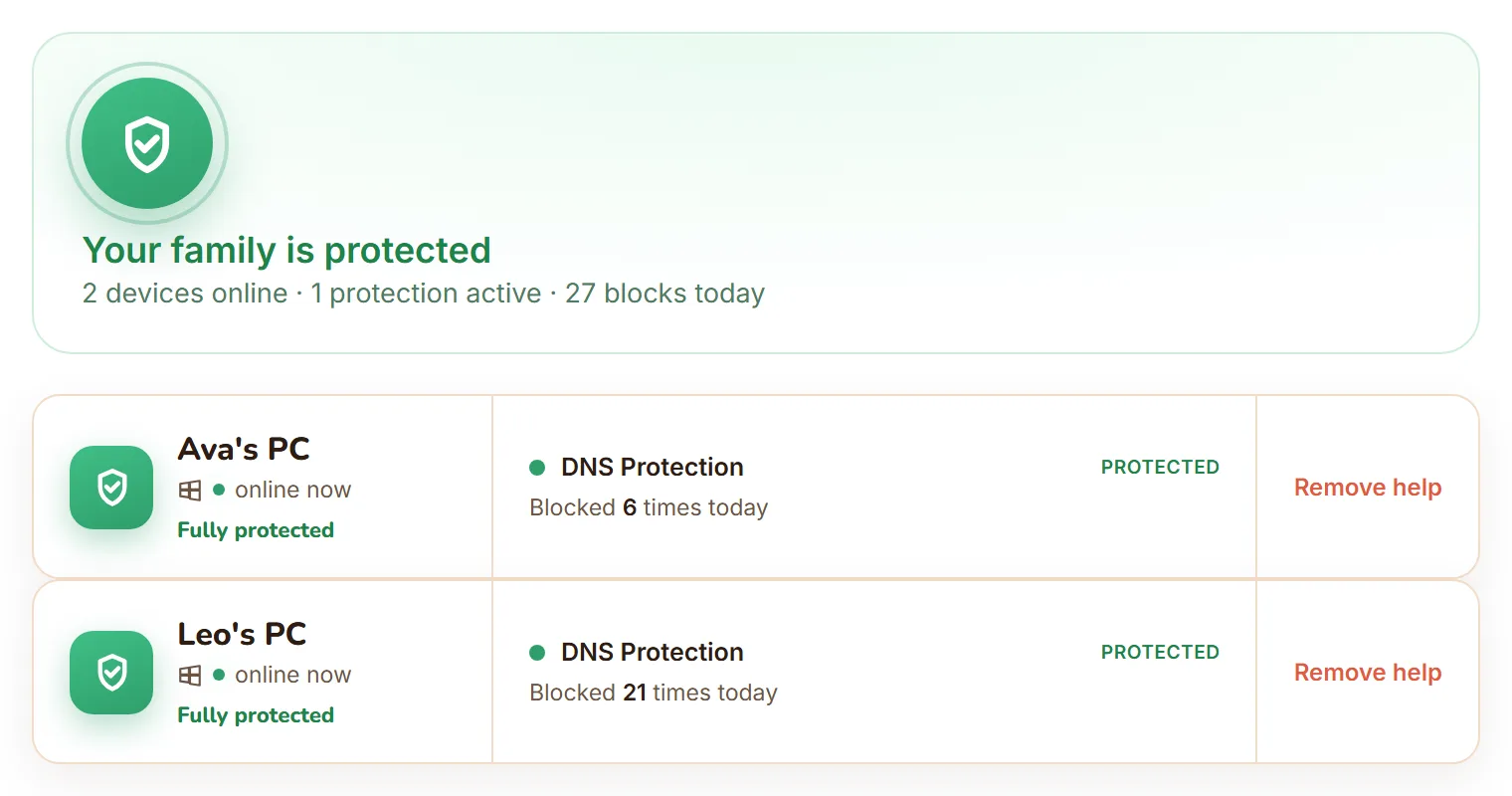
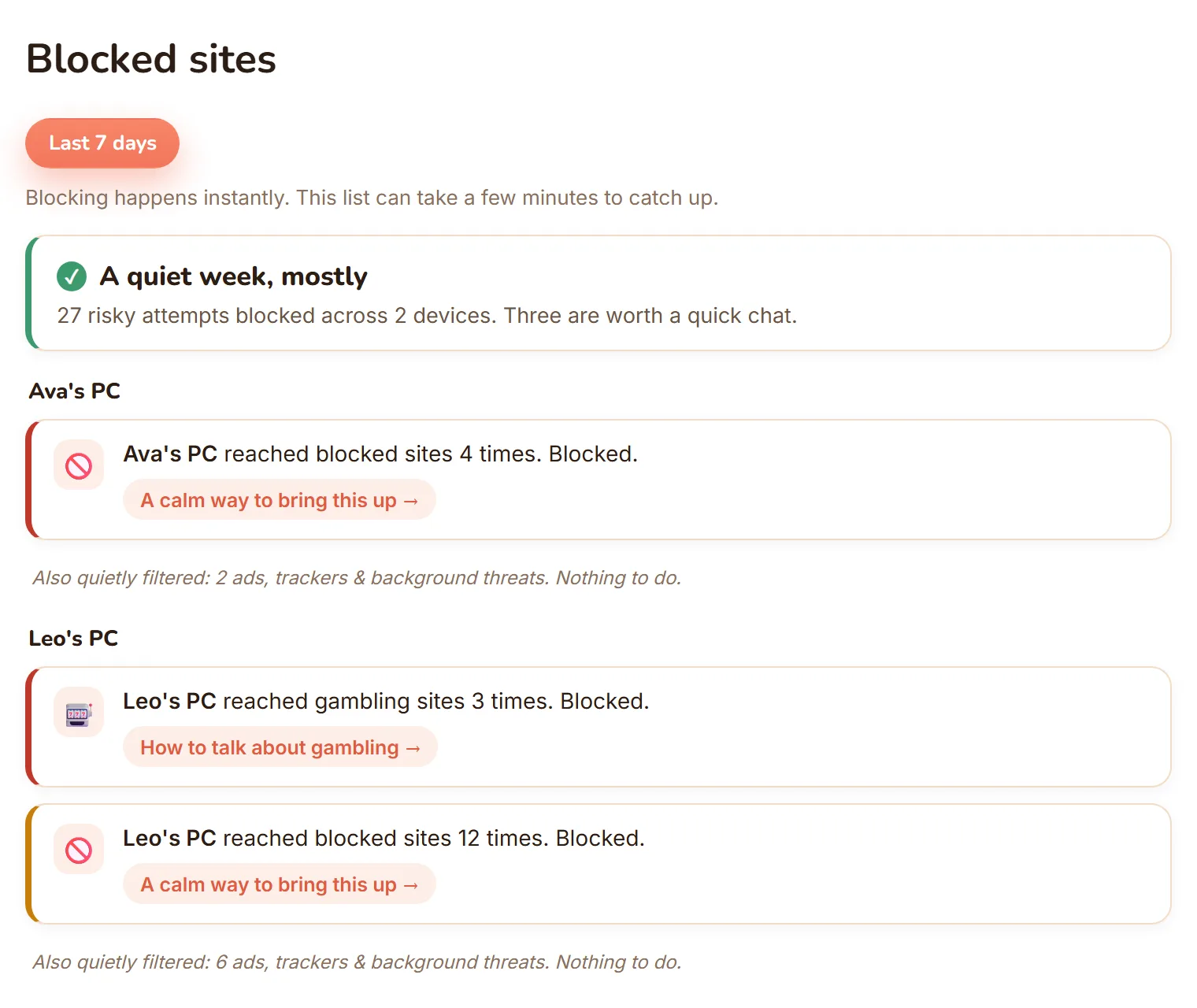
The real dashboard, not a mockup: every Windows PC in one view, and blocked sites shown as calm, per-child moments.
| Feature | FamilyProtect | Google Family Link |
|---|---|---|
| Platform | Windows PCs | Android and Chromebook; no native Windows app |
| What it protects | Every browser and app on the PC, at the DNS layer | Apps and screen time on the child's Android device |
| Content filtering on Windows | Yes, network-level under every browser | No native Windows filtering |
| Bypass resistance | High: blocks known encrypted-DNS (DoH) endpoints and VPN or anonymiser domains, self-heals | Not applicable on Windows |
| Parent reports | Plain-language blocked-sites feed, three tiers, per child | Activity and screen-time reports on Android |
| Price | $5.99 a month, every family PC | Free |
Does Google Family Link work on Windows PCs?
Not really. Family Link supervises Android phones, Chromebooks, and to a lesser degree iPhones. There is no native Windows application. Parents sometimes run the parent app inside an Android emulator, but that supervises the emulator, not the Windows PC your child actually uses. If your child browses, games, and does homework on a Windows laptop, Family Link leaves that machine unprotected. FamilyProtect installs directly on the Windows PC and filters every browser and app.
Can a child bypass the protection?
On Windows there is nothing to bypass, because Family Link is not there. FamilyProtect filters at the DNS layer for the whole PC, so switching to a second browser does not get around it. It also blocks the common escape routes, known encrypted-DNS (DoH) endpoints and VPN or anonymiser domains, and it repairs itself within minutes if the settings are tampered with. Your child should use a standard, non-administrator Windows account.
What do parents see?
Family Link shows screen time and app activity on the supervised Android device. FamilyProtect shows a plain-language feed of what was blocked on each PC, grouped into three tiers: Serious, Keep an eye on, and Filtered quietly. It is protection with visibility, not covert monitoring. We do not read messages, keystrokes, or photos.
Family Link vs FamilyProtect: what does each cost?
Family Link is free. FamilyProtect is $5.99 a month and one subscription covers every Windows PC in your home. If your child is on Android, Family Link is a sensible free choice. If they are on a Windows PC, free controls that do not run there are not a saving.
When Google Family Link is the better choice
Family Link is the better choice when your child's main device is an Android phone or a Chromebook and you want free screen-time limits and app approvals. You can run both: Family Link on their phone, FamilyProtect on the family PCs.
Questions
Does Google Family Link work on a Windows laptop?
There is no native Windows version. Family Link supervises Android and Chromebook devices. For a Windows PC, install FamilyProtect, which filters content for every browser and app on the machine.
Is FamilyProtect free like Family Link?
No. FamilyProtect is $5.99 a month and covers every Windows PC in your family with no per-device fees. Family Link is free but only supervises Android and Chromebook devices.
Can I use both Family Link and FamilyProtect?
Yes. Many families use Family Link for a child's Android phone and FamilyProtect for the family's Windows PCs. They cover different devices and do not conflict.
Can I install Google Family Link on a Windows PC?
No, there is no Windows app. Some parents try running the Family Link parent app inside an Android emulator, but that only supervises the emulator, not the Windows PC your child actually sits at. To cover the PC itself, install FamilyProtect, which filters every browser and app on the machine at the DNS layer.
What can I use instead of Family Link on a laptop?
Family Link's gap is real: it has nothing for a Windows laptop. FamilyProtect fills it by filtering on the laptop itself, below every browser and app, so it does not matter which browser your child opens and it keeps working off your home Wi-Fi.
More comparisons: vs Microsoft Family Safety, vs Qustodio, vs Bark, vs Covenant Eyes . See the full comparison table, everything in FamilyProtect's features, our pricing, and our privacy approach.