Compare
A Qustodio alternative that filters without monitoring your child
Qustodio is a broad, paid monitoring suite that can read messages, watch social apps, and track location. FamilyProtect does one job well: tamper-resistant content filtering on Windows PCs, with honest reports and no covert monitoring.
Choose FamilyProtect if
You want strong Windows content filtering and you do not want to spy on your kids.
Choose Qustodio if
You want cross-platform monitoring, screen time, and location tracking.
See what you actually get
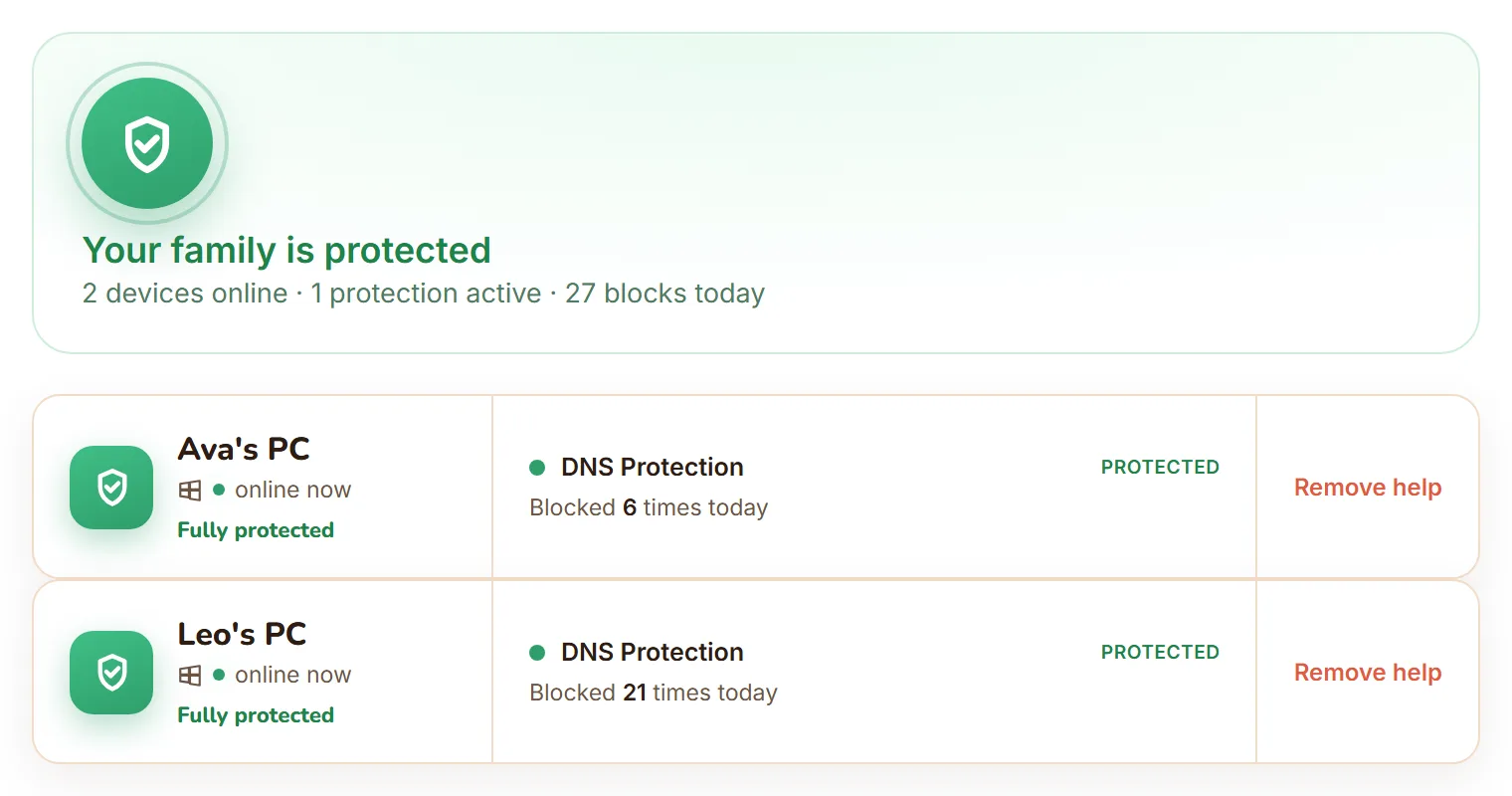
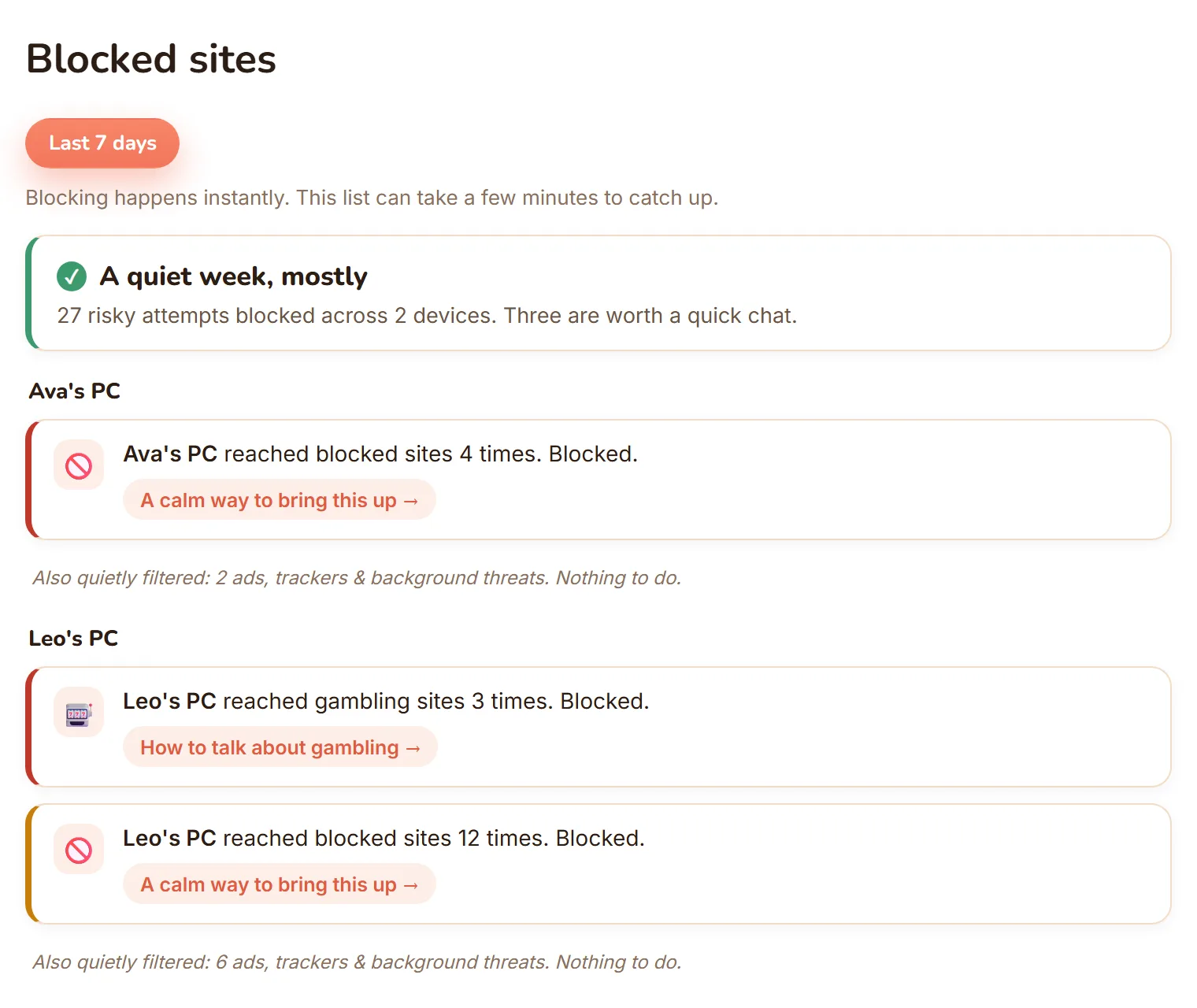
The real dashboard, not a mockup: every Windows PC in one view, and blocked sites shown as calm, per-child moments.
| Feature | FamilyProtect | Qustodio |
|---|---|---|
| Approach | Protection: filter content, report blocks | Monitoring: track messages, social, location |
| Message and social monitoring | No, by design | Yes |
| Location tracking | No | Yes (geofencing) |
| Windows content filtering | Network-level, every browser and app | App and browser level |
| Bypass resistance | Blocks known encrypted-DNS (DoH) endpoints and VPN or anonymiser domains, self-heals | App-level |
| Pricing model | $5.99 a month, every family PC | Tiered by device count, billed annually |
| Parent reports | Blocked-sites feed, three tiers | Detailed activity dashboards |
Does FamilyProtect monitor my child like Qustodio?
No, and that is deliberate. Qustodio can show you your child's messages, social activity, YouTube history, and location. FamilyProtect is protection, not surveillance. We filter web content on the PC and show you what got blocked, but we do not read messages, keystrokes, or photos, and we do not track where your child is. For many families that is the line they want to hold: keep kids away from harmful sites without reading over their shoulder.
Which one filters a Windows PC more reliably?
Both filter Windows, but differently. Qustodio filters at the app and browser level. FamilyProtect filters at the DNS layer for the whole machine, so every browser and app is covered and switching browsers does not help. It also blocks the common escape routes, known encrypted-DNS (DoH) endpoints and VPN or anonymiser domains, and repairs itself within minutes if tampered with. With a standard, non-administrator Windows account, a child cannot switch it off.
Qustodio vs FamilyProtect: what does each cost?
Qustodio is tiered by the number of devices, from around $4.58 a month for five devices up to about $8.04 a month for unlimited, billed annually. FamilyProtect is a flat monthly price covering every Windows PC in your family, with no per-device fee. If you need phones and tablets monitored too, Qustodio covers more ground. If you want honest filtering on the family PCs at one price, FamilyProtect is simpler.
What do parents actually see?
Qustodio gives detailed dashboards across everything it monitors. FamilyProtect gives a calmer view: a plain-language feed of what was blocked on each PC, grouped into Serious, Keep an eye on, and Filtered quietly, with an optional per-child detail add-on. It is built to start conversations, not to hand you a surveillance log.
When Qustodio is the better choice
Qustodio is the better choice when you want to monitor phones and tablets as well as PCs, you want screen-time schedules and location alerts, and you are comfortable with a monitoring approach. It covers more platforms and more activity than FamilyProtect does.
Questions
Does FamilyProtect read messages like Qustodio?
No. FamilyProtect filters web content and reports what was blocked. It does not read messages, keystrokes, or photos, and it does not track location. Qustodio offers that monitoring; FamilyProtect deliberately does not.
Is FamilyProtect cheaper than Qustodio?
FamilyProtect is a flat $5.99 a month for every Windows PC. Qustodio is tiered by device count, from about $4.58 to $8.04 a month billed annually. Which is cheaper depends on how many devices and platforms you need to cover.
Does FamilyProtect work on phones like Qustodio?
No. FamilyProtect covers Windows PCs only. Qustodio is cross-platform including phones. For PC filtering without monitoring, FamilyProtect is the focused option.
Is there a cheaper Qustodio alternative for Windows?
Compare what each covers rather than the headline number. Qustodio spans phones, tablets and computers and leans on monitoring and reporting. FamilyProtect is Windows only and does content filtering, with one plan covering the Windows PCs in your household rather than a charge per device. See our pricing page for the current rate, and choose on which shape fits your family.
More comparisons: vs Google Family Link, vs Microsoft Family Safety, vs Bark, vs Covenant Eyes . See the full comparison table, everything in FamilyProtect's features, our pricing, and our privacy approach.