Compare
A Bark alternative that blocks sites instead of watching for them
Bark watches what your child writes and receives, scanning texts, email, and social media for signs of bullying, self-harm, or predators. FamilyProtect works the other way: it blocks harmful sites before they load and reports what it blocked, without reading a single message.
Choose FamilyProtect if
You want to block harmful content and see what was blocked, without reading messages.
Choose Bark if
You want alerts about what your child is saying and receiving online.
See what you actually get
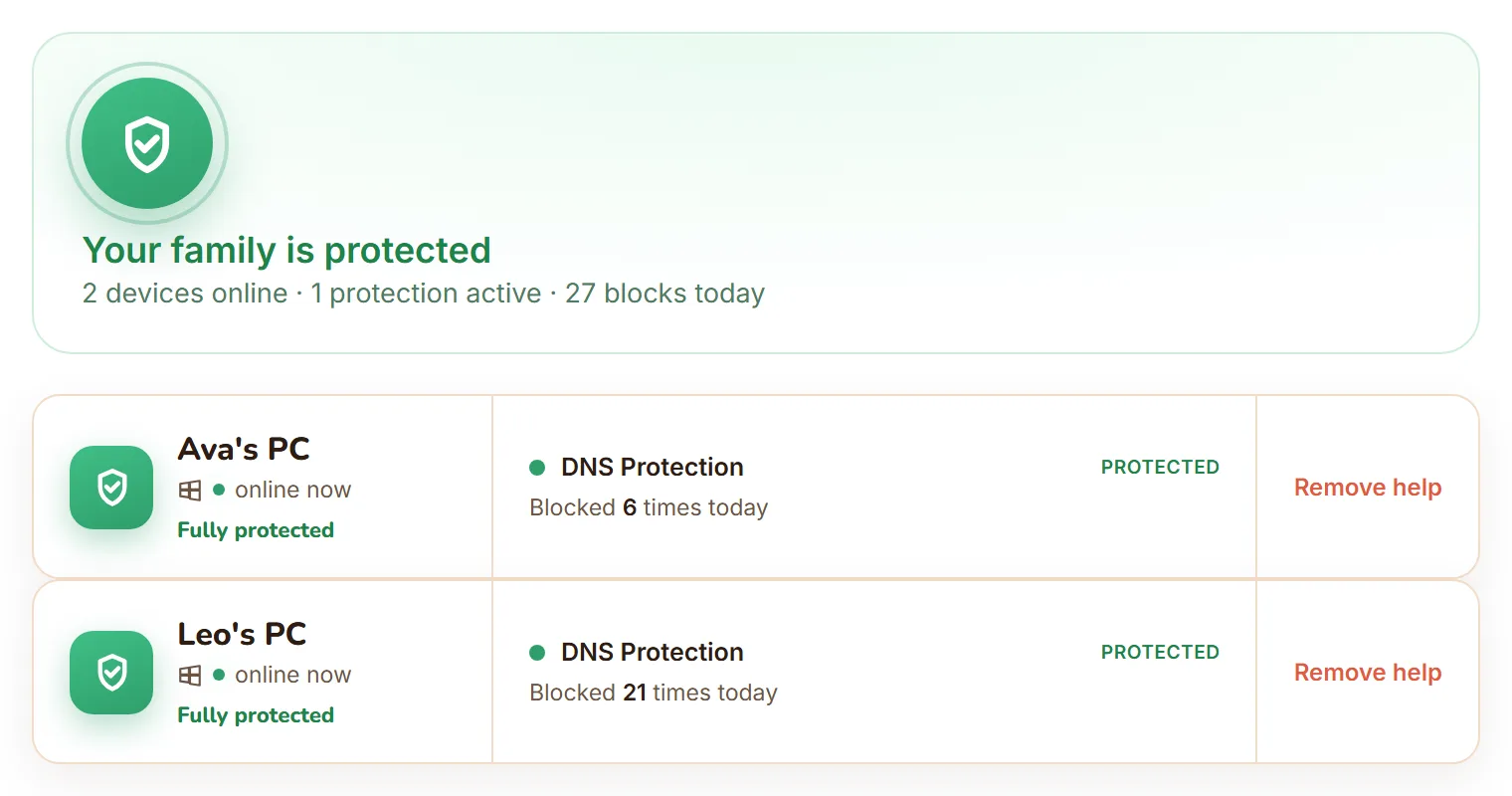
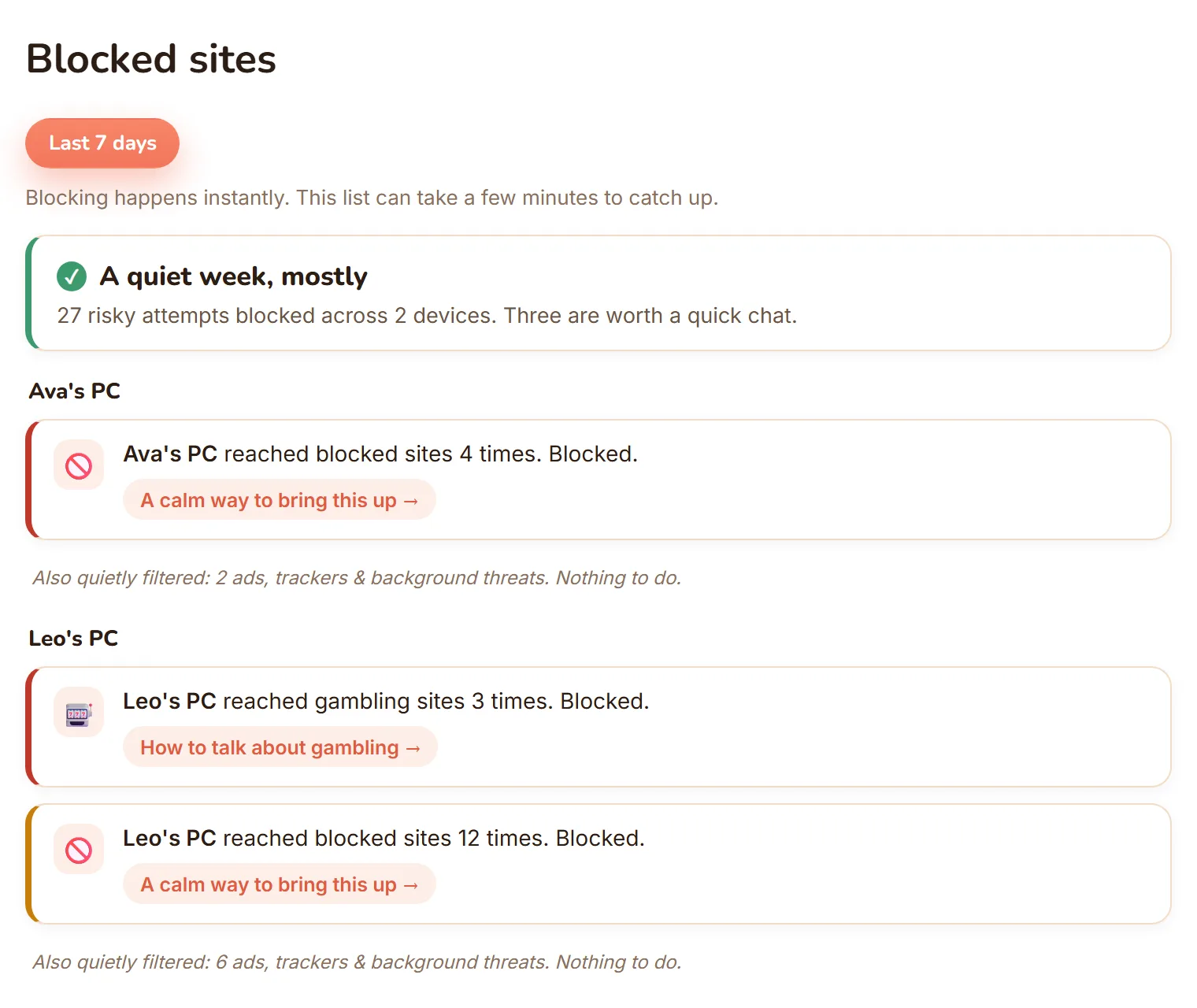
The real dashboard, not a mockup: every Windows PC in one view, and blocked sites shown as calm, per-child moments.
| Feature | FamilyProtect | Bark |
|---|---|---|
| Approach | Block harmful sites, report blocks | Scan messages and social for concerns, alert |
| Message and email scanning | No, by design | Yes (Premium) |
| Content filtering | Network-level, every browser and app | Website and app filtering |
| Bypass resistance | Blocks known encrypted-DNS (DoH) endpoints and VPN or anonymiser domains, self-heals | App-level |
| What parents receive | Blocked-sites feed, three tiers | Alerts about flagged content |
| Price | $5.99 a month, all family PCs | $5 to $14 a month |
Does FamilyProtect read messages like Bark?
No. Bark's core feature is scanning your child's messages, email, and social media and alerting you when it detects bullying, self-harm, or predatory contact. FamilyProtect never reads message content. It filters web content so harmful sites do not load in the first place, and it shows you what was blocked. Both aim to keep kids safer; one reads their conversations, the other guards the network. Choose the model you are comfortable with.
Which one stops harmful websites?
FamilyProtect is built for that. It filters at the DNS layer for the whole PC, so every browser and app is covered and a second browser does not get around it. It blocks known encrypted-DNS (DoH) endpoints and VPN or anonymiser domains used to slip past filters, and it repairs itself within minutes if tampered with. Bark can filter websites too, but its strength is monitoring and alerting after the fact rather than tamper-resistant blocking at the network layer.
Bark vs FamilyProtect: what does each cost?
Bark Jr is $5 a month for filtering, screen time, and location, and Bark Premium is $14 a month, or $8.25 a month billed annually, adding the message and social monitoring. FamilyProtect is a flat $5.99 a month and covers every Windows PC in your family. If message alerts are what you want, Bark Premium is built for that. If you want strong site filtering without surveillance, FamilyProtect is the focused choice.
What do parents see?
Bark sends alerts when its scanning flags something in your child's messages or feeds. FamilyProtect gives you a plain-language feed of what was blocked on each PC, sorted into Serious, Keep an eye on, and Filtered quietly. It is designed to start a conversation, not to surface private messages.
When Bark is the better choice
Bark is the better choice when your main worry is what your child is saying and receiving, bullying, self-harm, or contact from strangers, and you want to be alerted to it across phones and social apps. That message-level monitoring is what Bark is built for and FamilyProtect does not do.
Questions
Does FamilyProtect scan messages like Bark?
No. FamilyProtect filters harmful sites and reports what was blocked. It never reads message content, email, or social posts. Bark's main feature is that scanning; FamilyProtect deliberately avoids it.
Which is better for blocking harmful websites?
FamilyProtect. It filters at the DNS layer for the whole PC, covers every browser and app, and blocks known encrypted-DNS endpoints and VPN or anonymiser domains. Bark focuses on monitoring and alerting rather than tamper-resistant network filtering.
How much does Bark cost compared to FamilyProtect?
Bark Jr is $5 a month and Bark Premium is $14 a month ($8.25 billed annually). FamilyProtect is a flat $5.99 a month for every Windows PC. Bark Premium adds message monitoring; FamilyProtect focuses on filtering without surveillance.
Does Bark block websites on a Windows computer?
Bark can filter websites, but its strength is monitoring: scanning messages, email, and social media and alerting you after something concerning shows up. On a Windows PC that means the filtering is secondary to the alerts. FamilyProtect works below the browser at the DNS layer, so blocking happens before a harmful site ever loads, on every browser and app on the machine.
More comparisons: vs Google Family Link, vs Microsoft Family Safety, vs Qustodio, vs Covenant Eyes . See the full comparison table, everything in FamilyProtect's features, our pricing, and our privacy approach.